HoopStatix
For club coaches · no statistician needed

From the bench
to the PDF.

Tag the game on a phone or a tablet — tap what happened, then who. Send it to the desktop with one code. The report prints the same numbers you tapped, because all three run the same engine.

No account. No password. Works in a hall with no Wi-Fi. The game stays on your device until you send it.
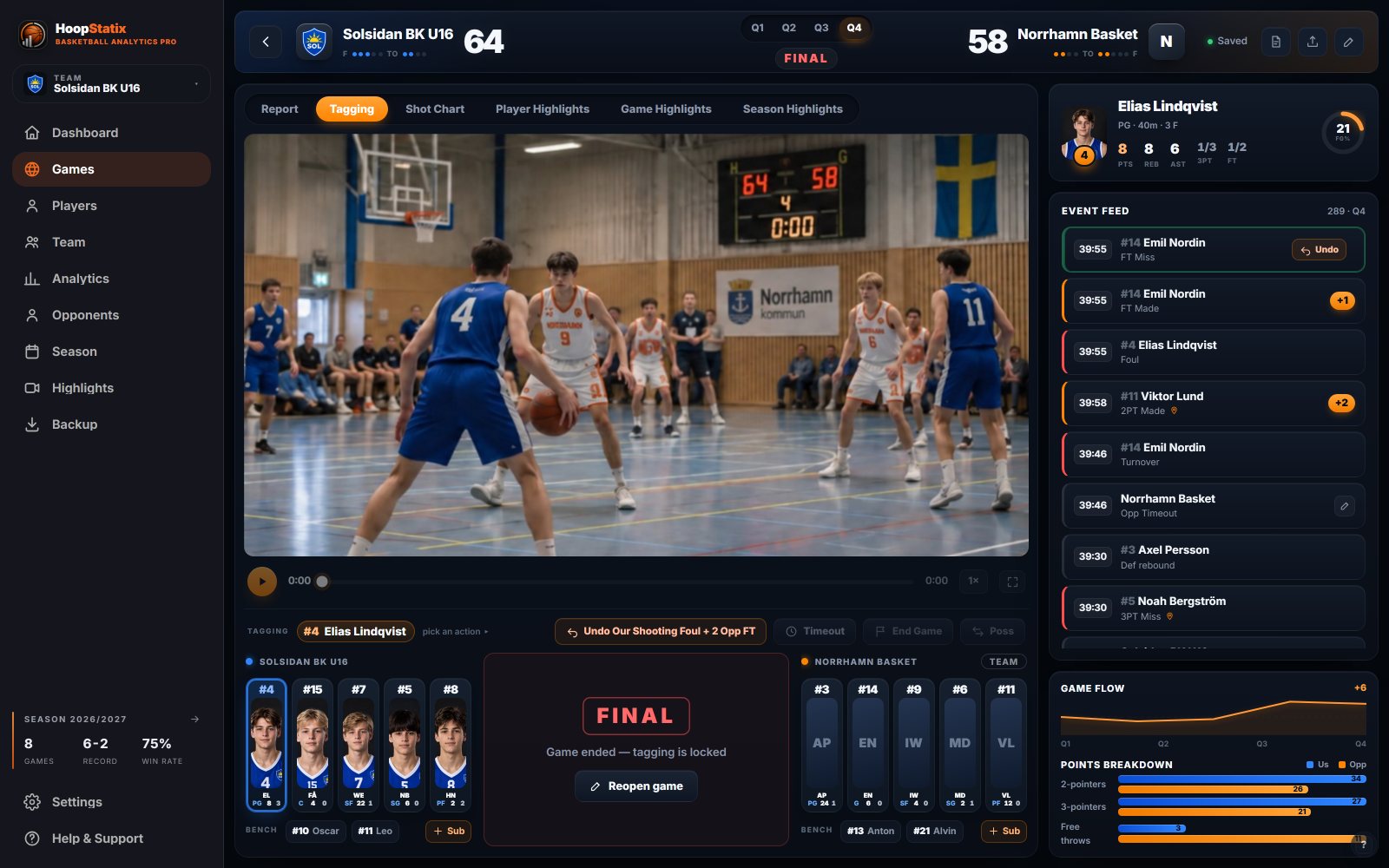
Desktop tagging: the game video with the scoreboard in frame, both fives and the action keys under it, the event feed and game flow on the right
Works offlineOpened once, it opens in any hall. Only sending needs a signal.
One code moves a gameEncrypted on the device. Valid 24 hours. A file works too.
Same engine, three screensMinutes, plus/minus and zones computed once, printed everywhere.
Your data stays yoursNo server holds your U15's games. Back up to one file.
Three apps

One for the pocket, one for the bench, one for the record.

Pick the one that fits the seat. They never need each other during a game — only afterwards, for the handoff.

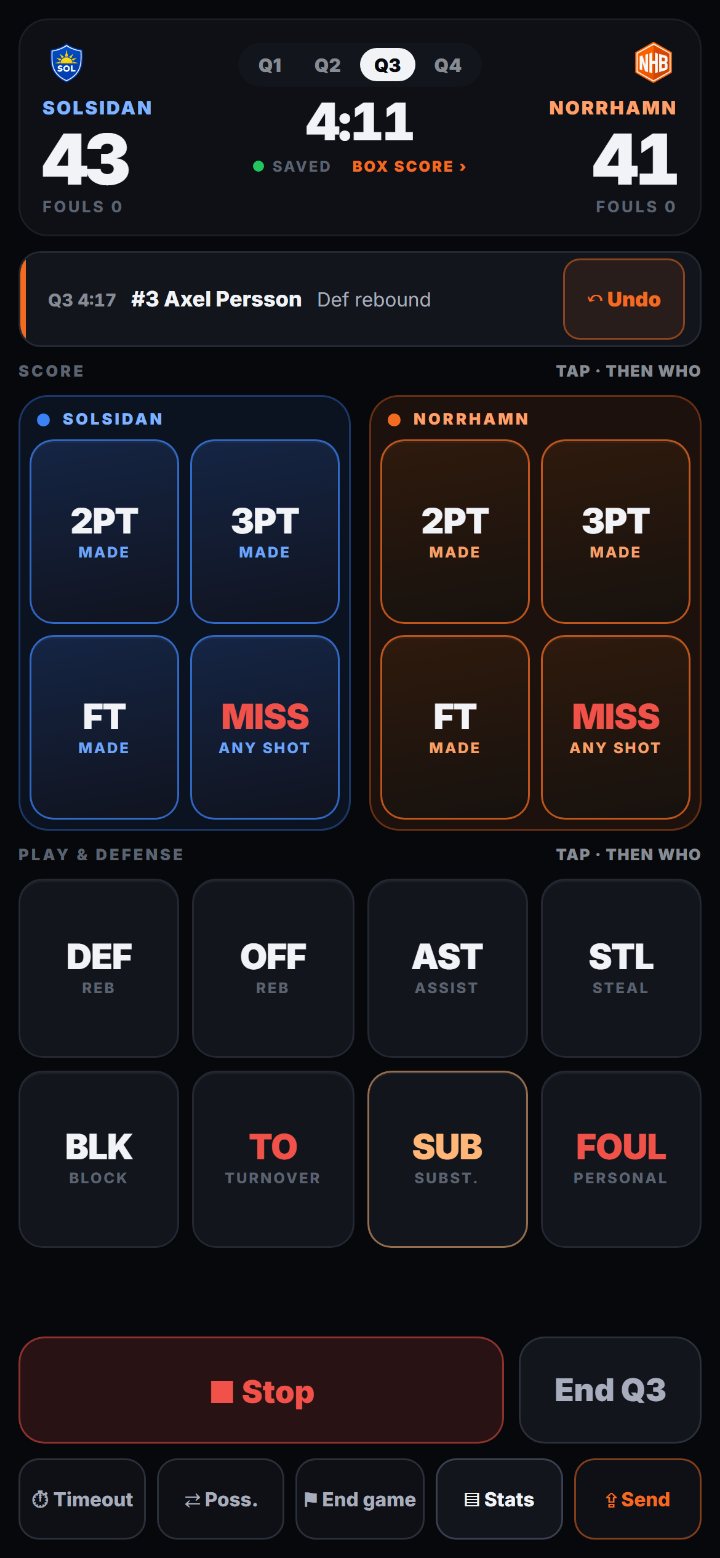
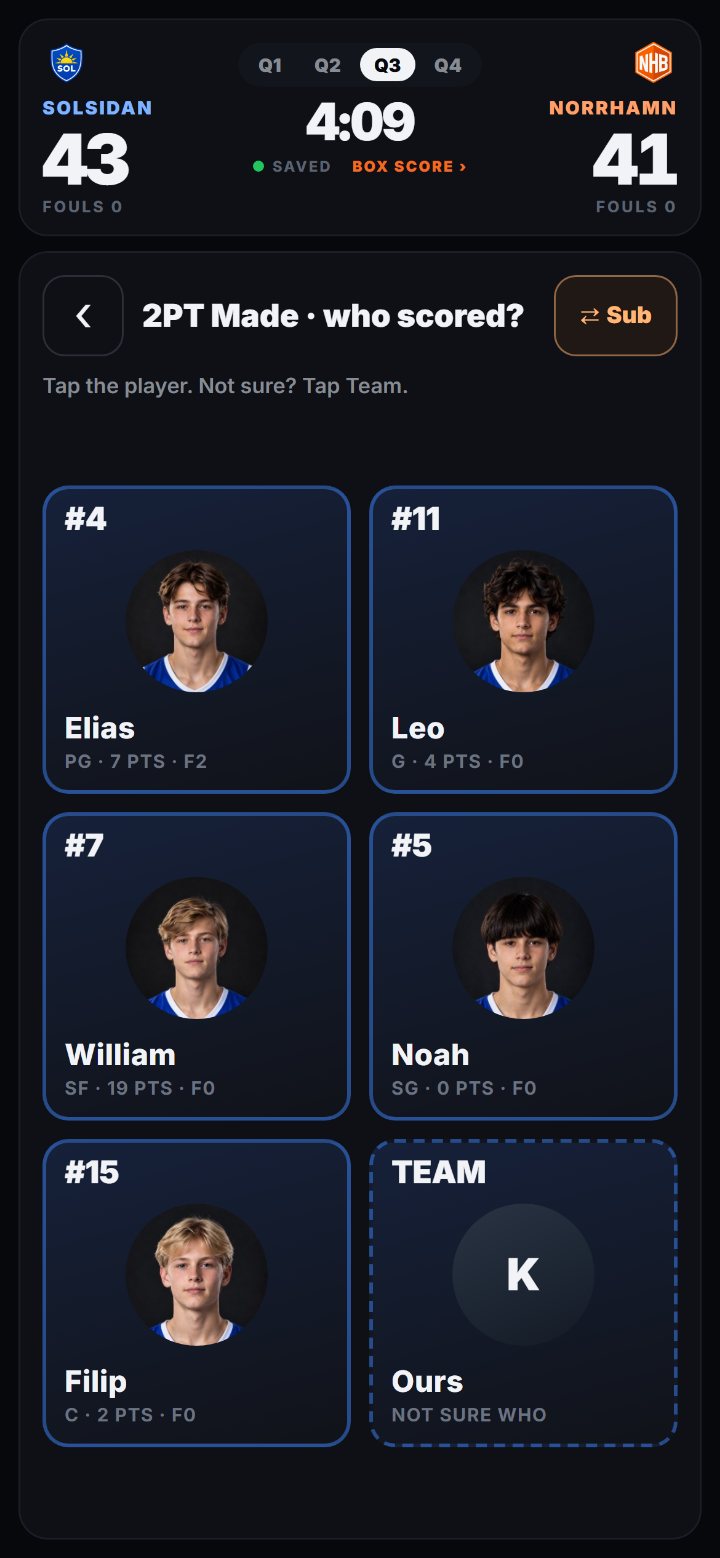
Phone: the board — both teams' score keys, play and defense keys, Start and End Q at the bottomPhone: who scored? — five players as big squares with photos, plus a Team card

Phone ANDROID · PORTRAIT

One thumb. The scoreboard on top, the keys where your hand is, every “who?” as big squares with faces.

  • Score, miss, rebound, assist, steal, block, turnover, foul, sub — each with the quarter clock
  • Tap the court to mark where the shot came from
  • Box score and shot chart mid-game, fouls red at four
  • Sub from inside a question; Android back closes it
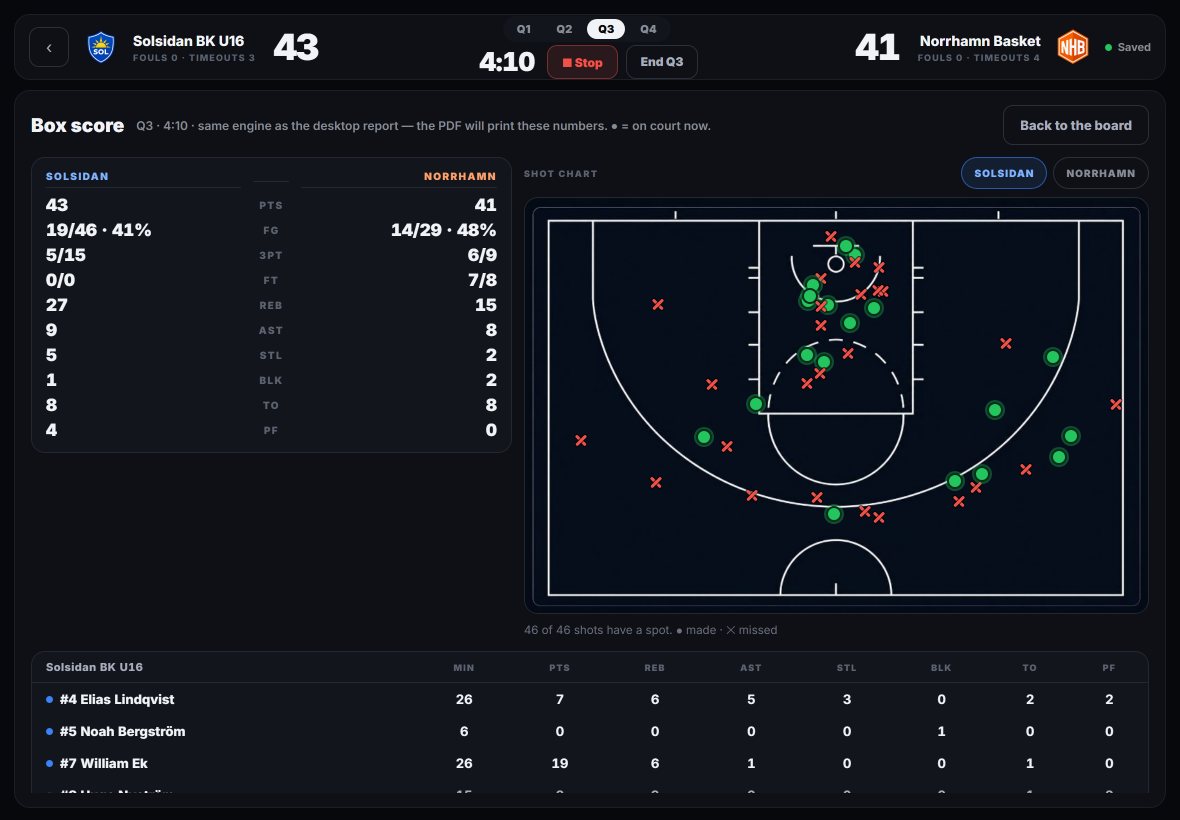
Tablet: the box score with team comparison, shot chart and player rows

Tablet IPAD · LANDSCAPE

The same flow with room to breathe: keys, live event feed and clock side by side, for the assistant or the parent on the bench.

  • Player cards with photos, both fives on one screen
  • Opponent with a roster — or without: then every event of theirs is one tap
  • Box score, shot chart, undo by whole play
  • Adds to the Home Screen, runs full screen
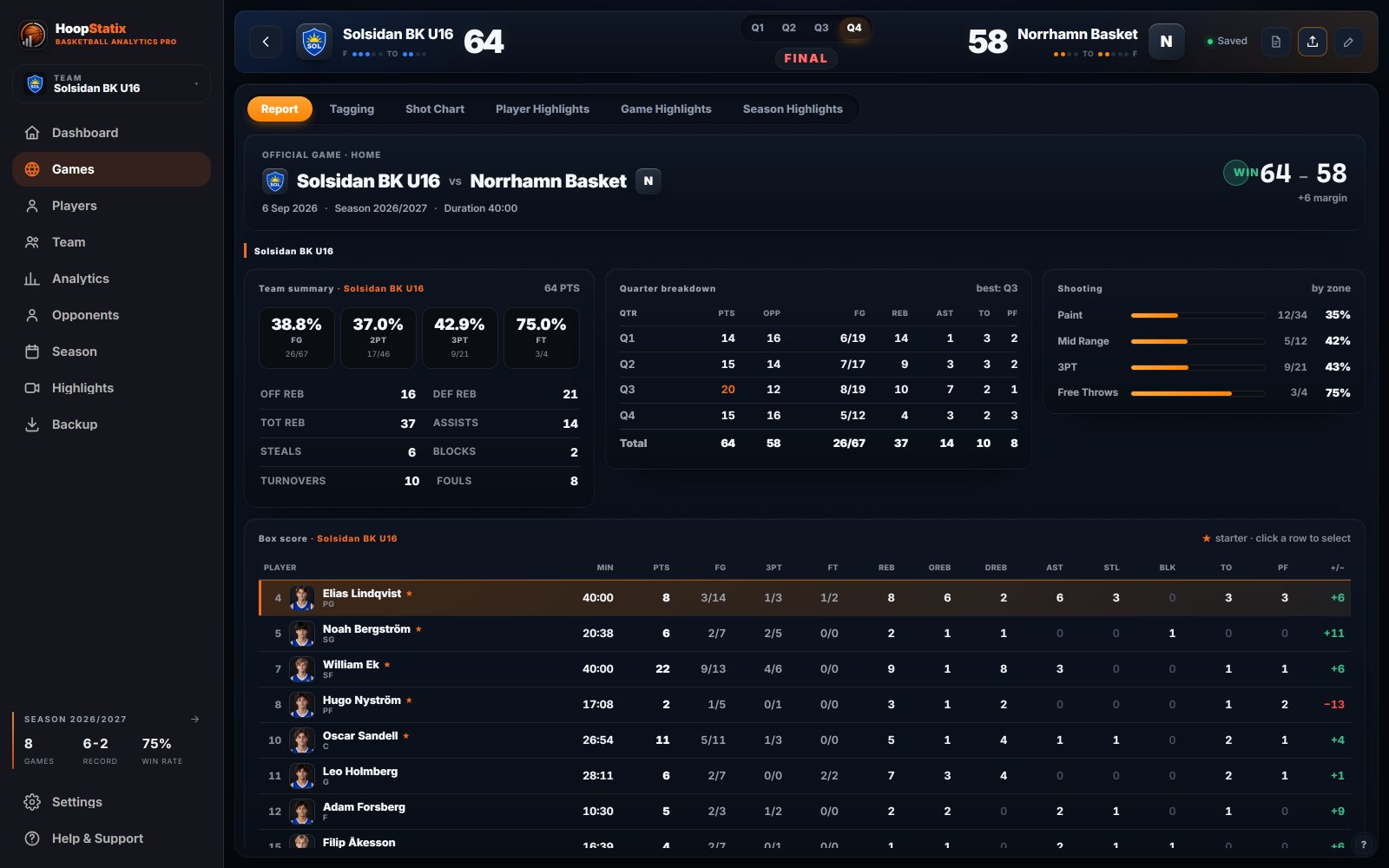
Desktop: a finished game report with team summary, quarter breakdown, shooting by zone and box score

Desktop WINDOWS

Where the club keeps everything: games, players, opponents, seasons — and the video the events point into.

  • Import from phone or tablet by code or file, mapped onto your roster
  • Tag with video: every event is a second on the tape
  • PDF game and stats reports with crests
  • Highlights, vertical 9:16 clips, coaching board, backup
See the desktop ↓
How they connect

A code out, a code back.

Nothing is shared at runtime and there is no account to keep in sync. A team goes out as a code; a game comes back as one.

Desktop

Team → Send to tablet. Names, numbers, photos, starters.

7KQ-M4Xteam code
Phone or tablet

Setup is one tap. The game lives here until it is sent.

R2N-8VBgame code
Desktop

Games → Import with code. Report, PDF, opponents, season.

Encrypted before it leavesThe code is the key. The relay stores what it cannot read, for 24 hours, then forgets it.
No signal? A file.Every game exports as a file through the share sheet. The desktop imports it the same way.
Your roster, not a copyPlayers imported from the desktop carry its ids back, so a game lands on the right people, not on look-alikes.
The desktop

The club's record, with the tape attached.

Everything the phone and the tablet tag lands here — next to games tagged with video, past seasons, and every opponent you have met.

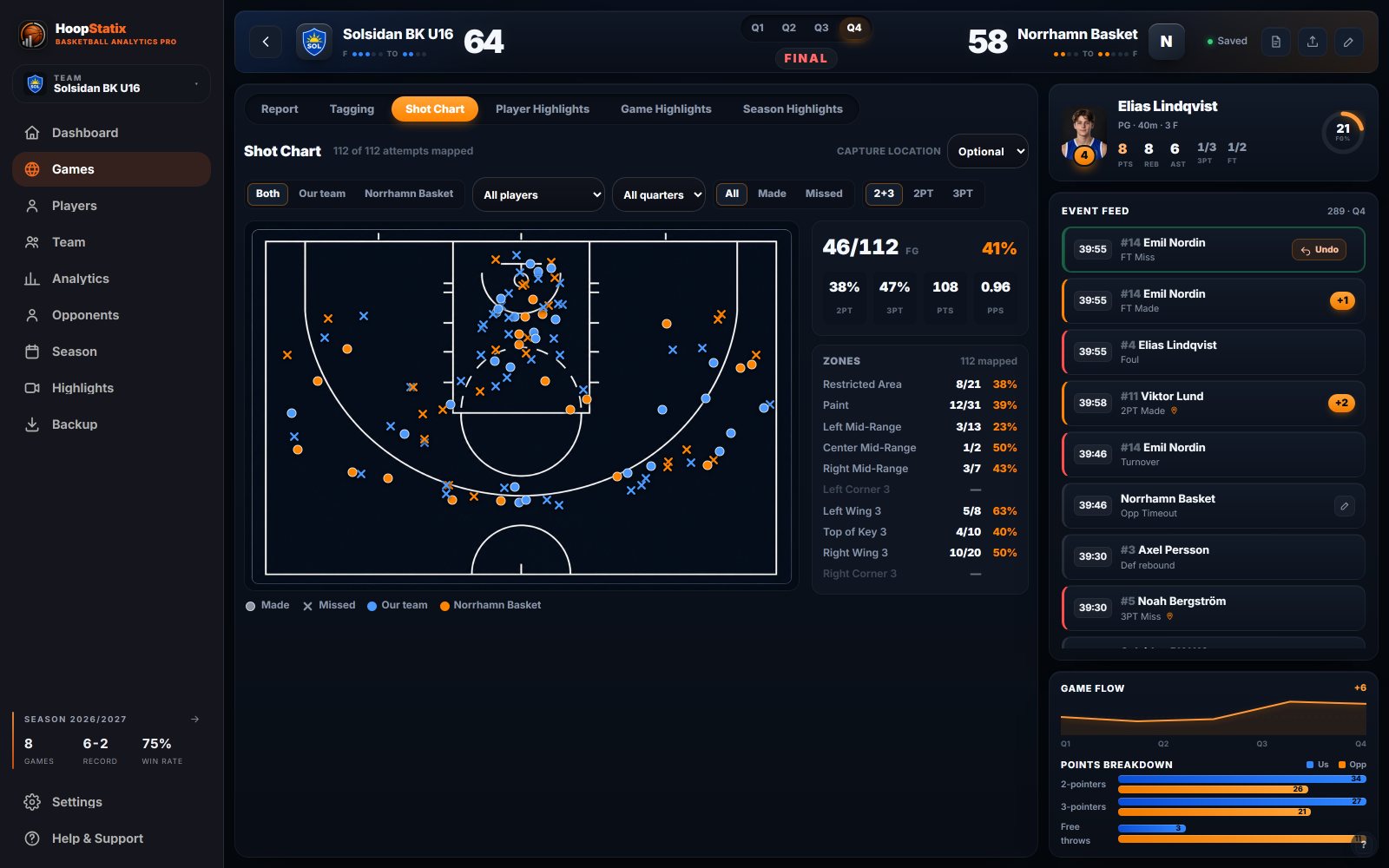
Desktop shot chart: every attempt of the game on the court, zones with percentages, the event feed and game flow on the right
Tag with video

Every event is a second on the tape. The clock syncs to the quarter marks; minutes fall out of the substitutions, no stopwatch operator.

Reports that go to parents

PDF game report and stats sheet: team summary, quarter breakdown, shooting by zone, box score, with both crests.

Opponents as memory

Durable clubs and rosters. What they did to you last time is one click away, on their own page.

Season, players, analytics

Trends, leaders, plus/minus, zone breakdown, player comparison. One club, many teams — P15, U17, seniors — each its own.

Highlights and vertical clips

Cut clips from tagged events. Reframe a wide recording to 9:16 for the club's Instagram.

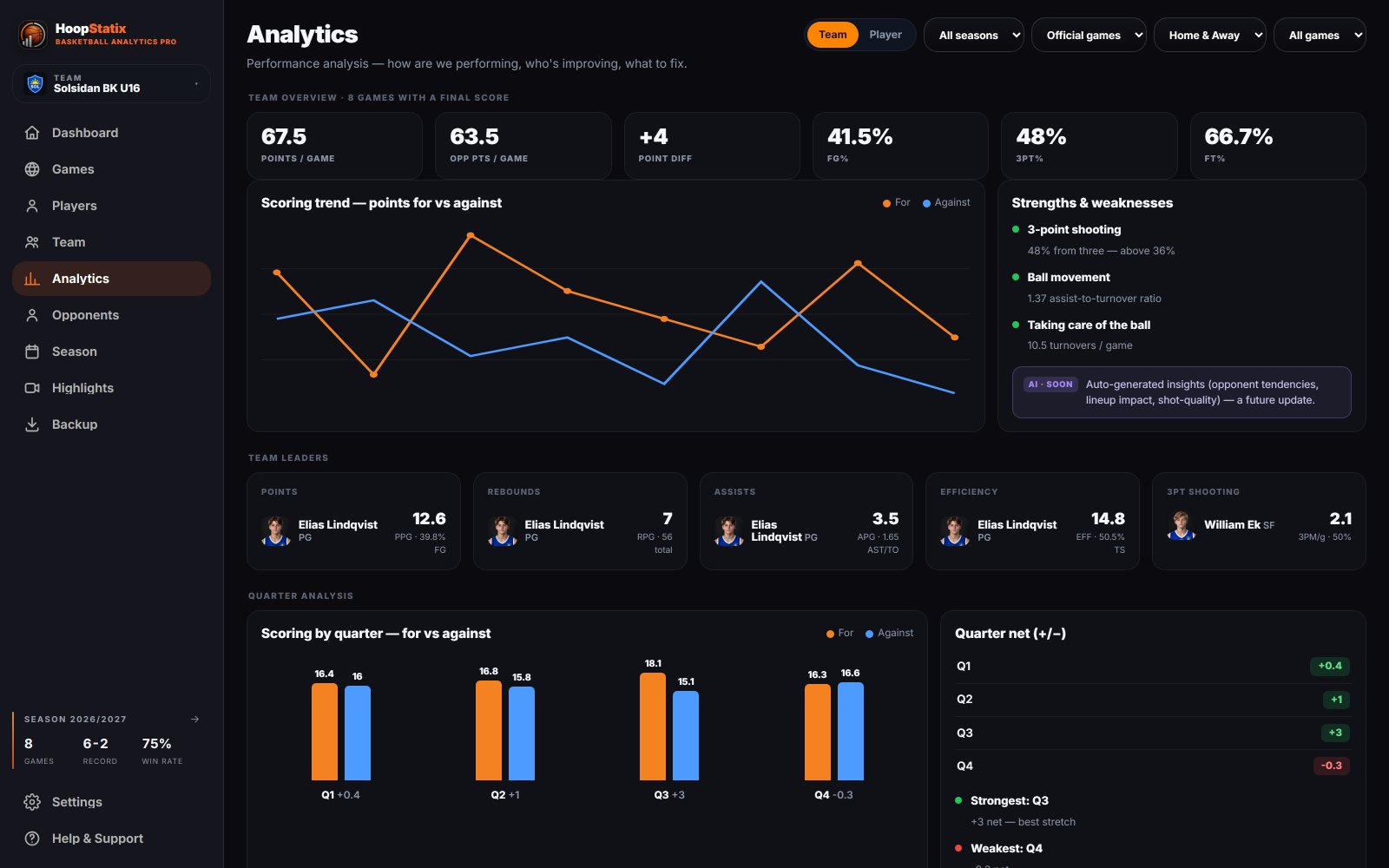
Desktop analytics: eight games, scoring trend, strengths, leaders
Analytics. Eight games in: the scoring trend, strengths and weaknesses, leaders, quarter analysis.
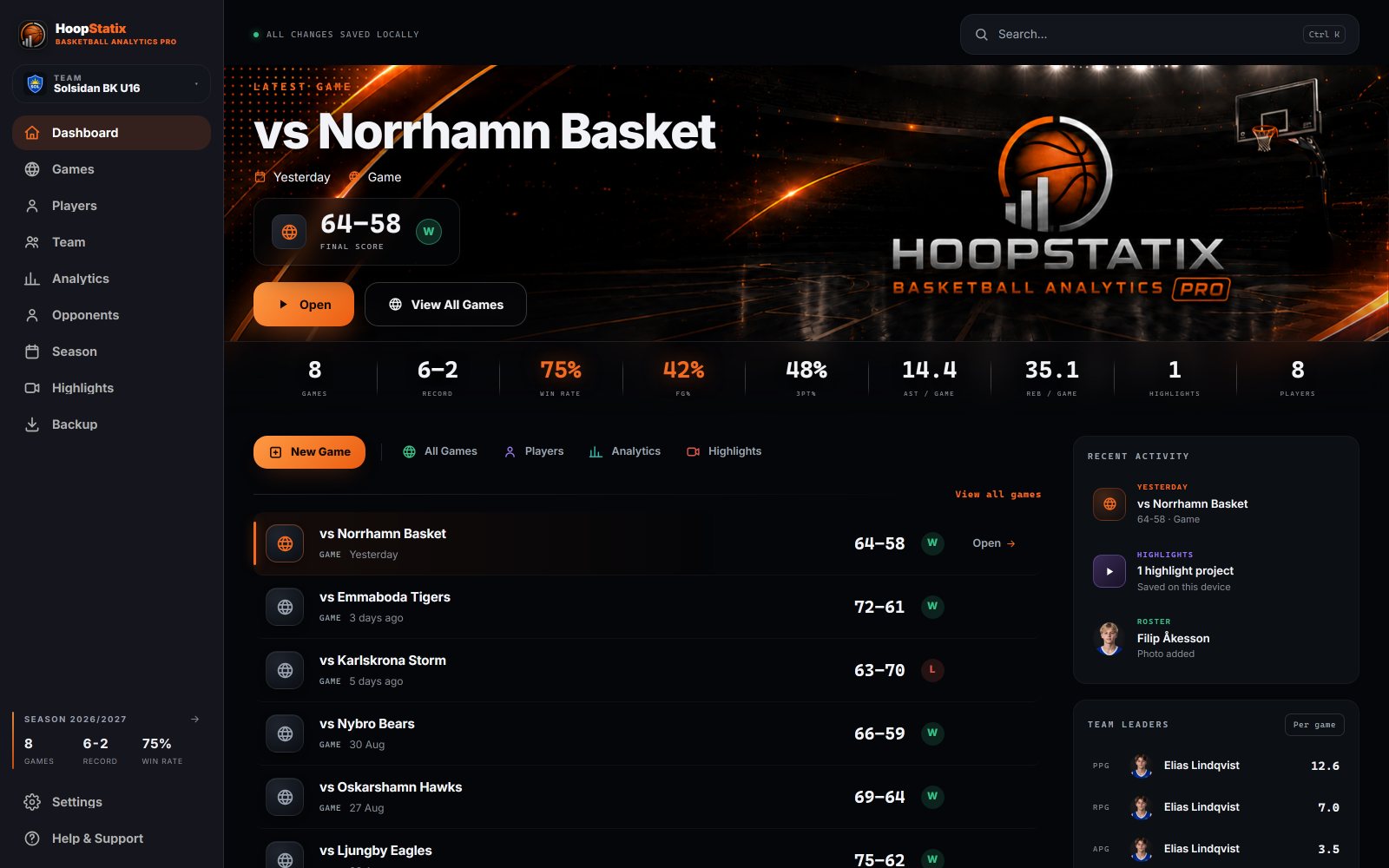
Desktop dashboard: latest game, season 6–2, recent activity
Dashboard. The latest game, the season at a glance — 6–2 — all changes saved locally.
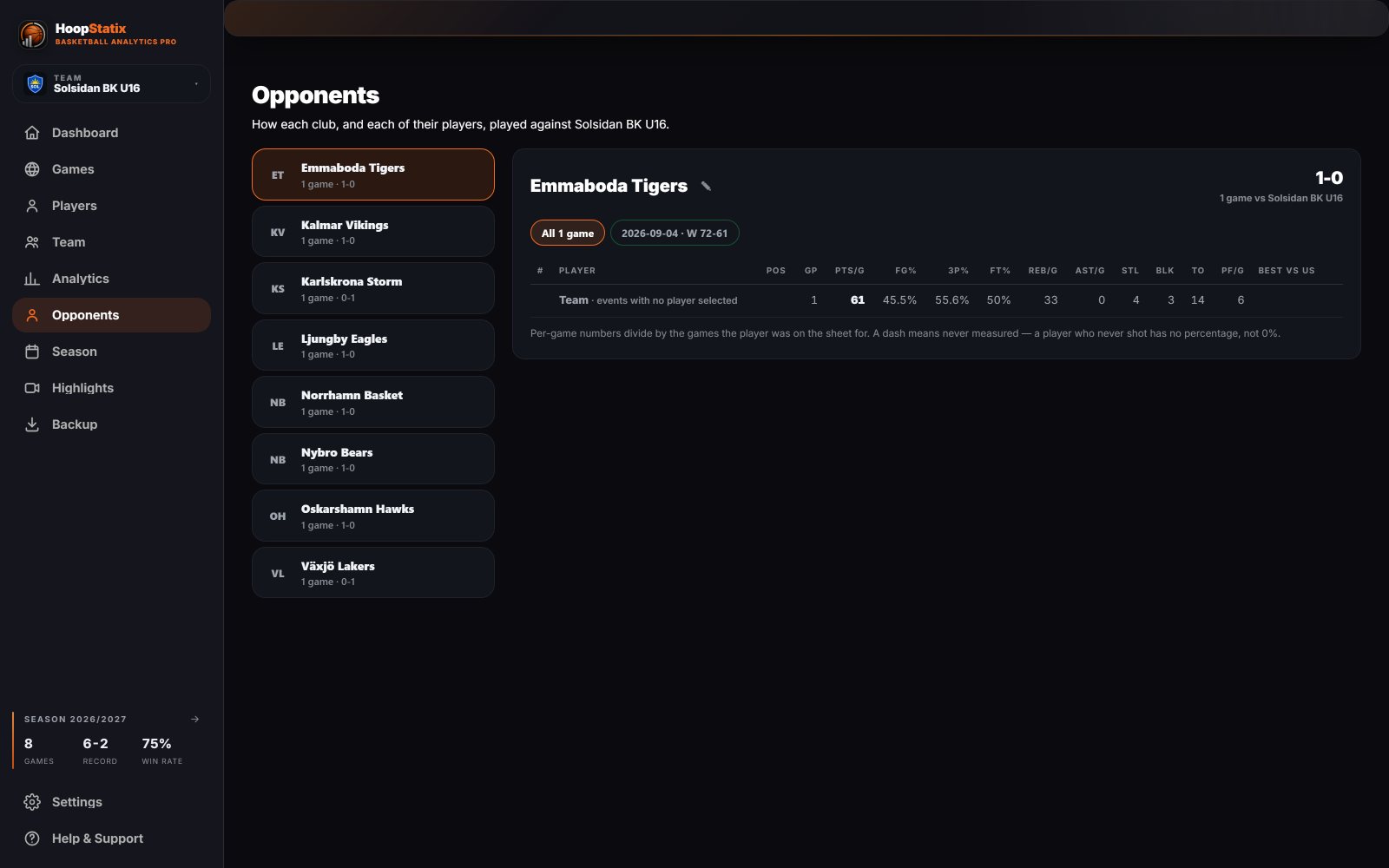
Desktop opponents: every club met this season, and each of their players against you
Opponents. Every club you have met this season, and what each of their players did against you.
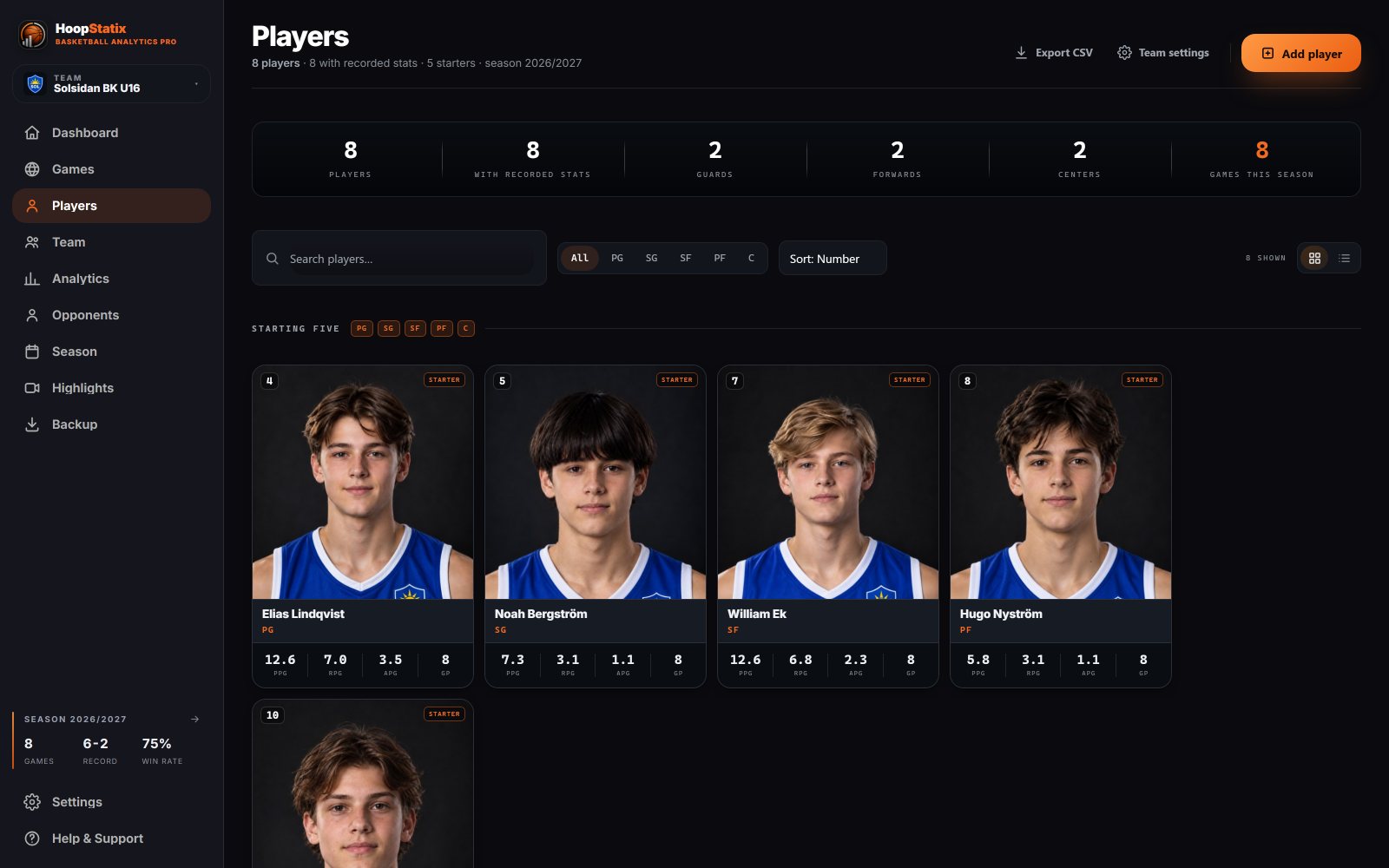
Desktop players: cards with photos and season averages
Players. Photos, positions, season averages — the same people the phone shows as squares.
The report

From the bench to the PDF — literally.

The game ends on the phone. A code carries it to the desktop. The PDF goes to the parents' group the same evening — and it is the same numbers, because it is the same game.

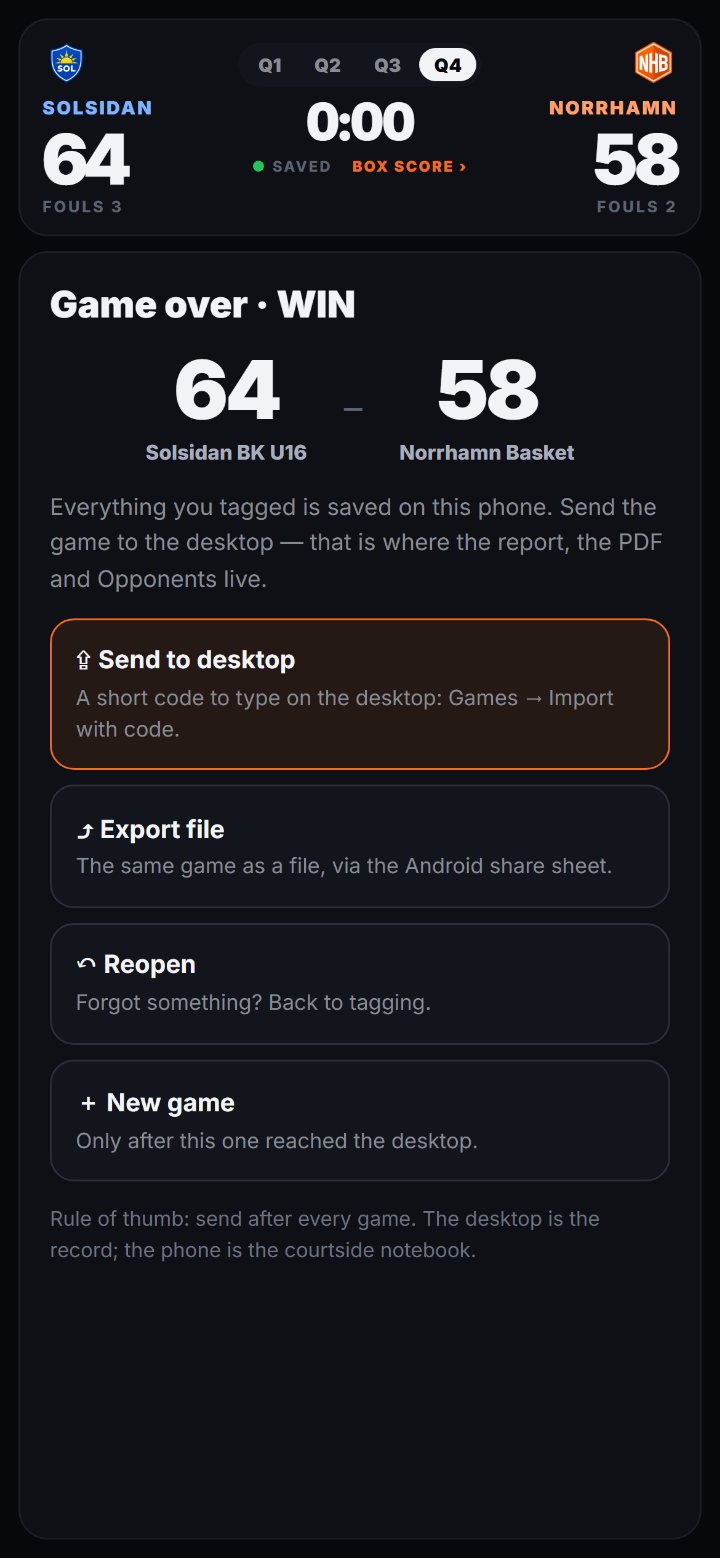
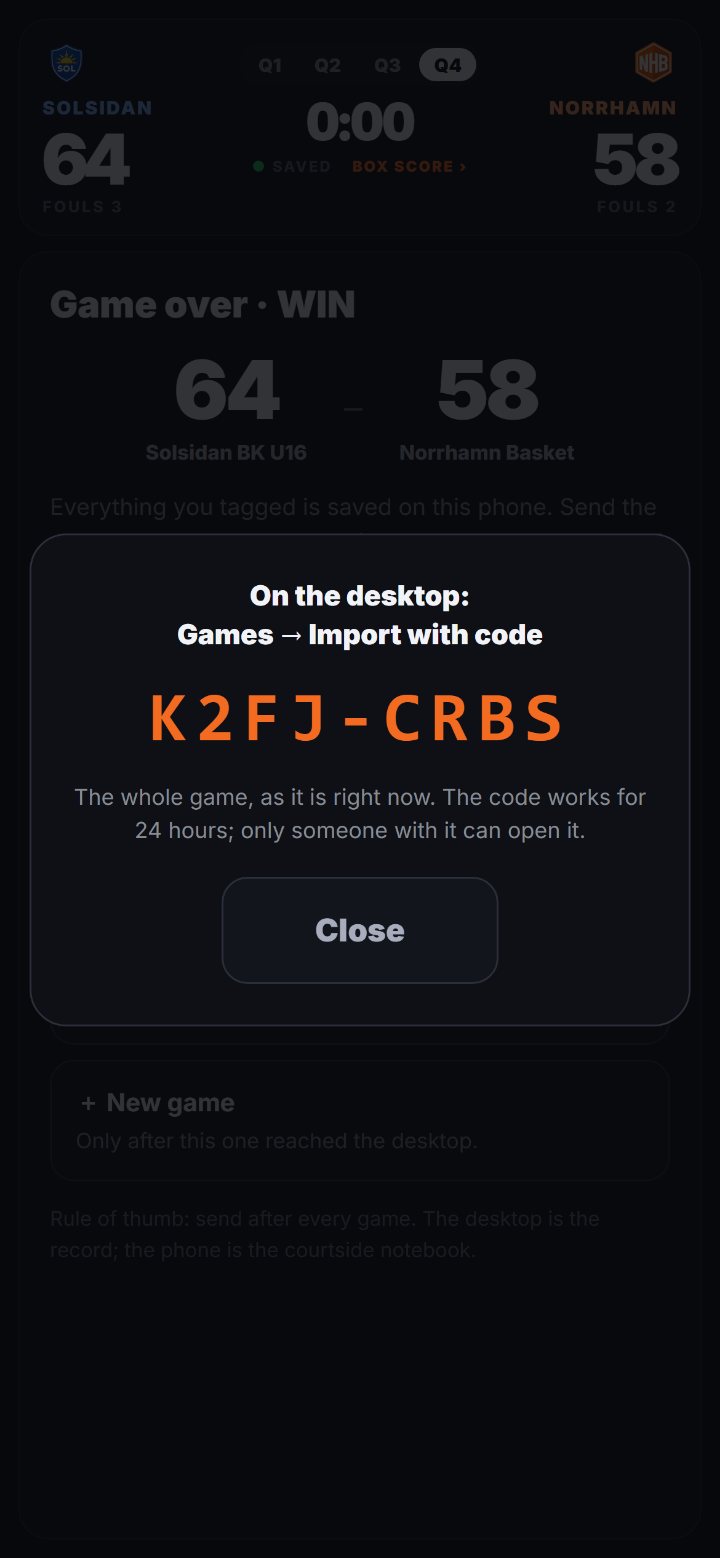
Phone: game over — 64–58, Send to desktop, Export file, Reopen, New gamePhone: the code to type on the desktop, valid 24 hours
1 · Game over, on the phone. Send to desktop shows a short code. No signal in the hall? Export file — the share sheet, like any photo.
K2FJ-CRBSgame code
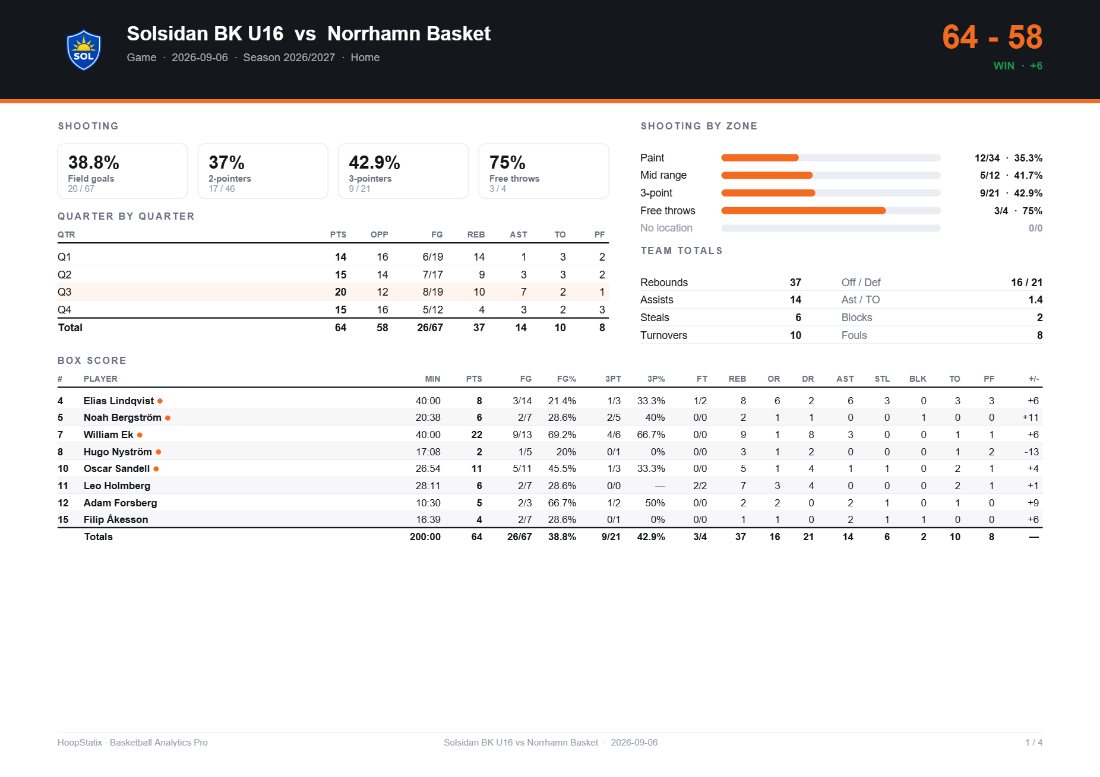
The game report PDF, page one: header with both crests, final score, team summary, quarter breakdown, shooting by zone, box score
2 · The PDF, from the desktop. Games → Import with code → Game report. Both crests, the quarter breakdown, shooting by zone, the box score — one click, ready to send.
Why this

Built for the hall you actually coach in.

Fast enough for a real game

Two taps per event. A substitution from inside any question. Undo removes the whole play — the basket, its spot and its assist — not half of it.

The numbers agree with themselves

Phone, tablet and desktop compute with the same code. The box score on the bench is the box score in the PDF. Nobody has to explain a difference.

Video, for a club budget

Event → second on the tape → highlight → vertical clip. The layer most youth-club tools skip, without a cloud subscription per seat.

Pricing

Per club, per season.

One licence covers every team in the club and every device its coaches carry. No per-seat fees, no cloud subscription, no ads in front of your players.

All three appsUnlimited teams and gamesUpdates through the seasonSet-up call with the coach
Book a demo Set-up and training with the coach are included. Nothing to download until you say so.
Book a demo

Thirty minutes, your own game.

Tell us about the club. We reply within one working day with a time — a video call where you tag a quarter yourself and see the PDF come out the other end.

No account is created. We only use this to reply.
Contact

A question, not a demo?

Write to [email protected] or use the form. A coach answers, not a bot.